A good template replaces an app
Notion templates earn their keep when a single structure replaces a separate tool you were paying for. A good sales pipeline view can retire a CRM. A connected task database can retire a project app. A weekly planner can replace three scattered apps that all half-do the same job. That is the whole economic case for Notion: one flexible home instead of five subscriptions that each do one thing.
The pricing reality matters here too. Everything in this article runs on Notion's free personal plan, which is easy to miss because the company's own marketing points you at paid workspaces. Teams pay per member per month for a shared workspace, so read the pricing page with your actual team size in mind before you commit a whole team to a setup. For one person or a small team, free covers almost all of it; the jump to paid is a decision about collaboration, not about these templates.
The honest counterweight: Notion is not automatically better. It is flexible, which means it rewards people who set it up properly and punishes people who never set it up at all. A template only wins when the structure it gives you matches the way you actually work. So the test of a template is not how it looks — it is whether the first screen you open makes the next decision obvious.
What to look for
Before you duplicate anything, check these four things:
- Connected databases, not just pages. A template where tasks link to projects and notes link to clients is a system. A template made of pretty standalone pages is a folder.
- A review routine built in. The best templates contain a weekly or daily checkpoint, because structure without a habit cadence decays fast.
- Simple, not over-designed. Fancy cover galleries and 40 decorative properties make a template feel expensive and slow you down. You want the minimum number of properties that your real work needs.
- Understandable to edit. Can you rename a property or adjust a filter without a tutorial? If the template fights you on day one, you will abandon it on day three.
How to spot a bloated template
The warning signs are easy to recognise once you know the pattern: more than ten properties per database, default views you will never open, a cover gallery on every page, and formulas nobody can explain out loud. A bloated template charges you a weekly tax of maintenance, which is exactly how a system becomes a museum. When you spot the pattern, delete the decorative layer before you adopt the template — the structure you keep will outlive the polish you dropped.
Six categories that carry real weight
Team or company hub
Meeting notes, goals and docs in one place so nobody needs three links to answer "what are we doing this month". The value is search — a single page that holds the team's record.
Project tracker
A kanban board of tasks linked to projects, with status, due date and owner on every card. This is the template that most often retires a standalone project app.
Client CRM
One page per client: contacts, notes, invoices, next action. For solo freelancers and small teams this replaces a paid CRM at a fraction of the friction.
Weekly planner
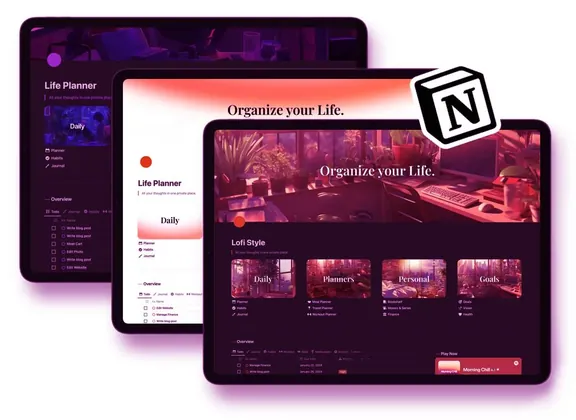
A short priorities / calendar / wins / next-week structure that takes ten minutes on a Sunday. Small and boring wins here — the ritual is the value, not the layout.
Meeting notes
Structured notes with decisions, action items and owners, archived per meeting. It turns the meeting record from dead text into a searchable source of truth.
Content calendar
Ideas, status and publish dates in one linked database, so a content plan stops living across three different spreadsheets.
Make it yours
Adapting a template is a five-minute mechanical process: duplicate it into your workspace, delete the sample data, rename the properties to your own vocabulary, and change any views you will not open. Then use it for a week before touching the design.
The discipline that separates useful systems from abandoned ones: change one thing at a time. Add a property only when a real task demands it. Rename a view after you have used it, not before. Most template breakdowns happen because people spend the first week beautifying instead of using, and the system never earns its place in the routine.
When Notion isn't the answer
Be honest about the edges. The Notion free tier is generous, but if you need heavy offline mobile access, hard database joins, or fast real-time editing across a large team, a purpose-built tool may serve better — Linear or Todoist for tasks, Actual or Command for finance, a dedicated CRM for heavy sales. Notion excels at flexibility and centralising; it is not the fastest thing in any single category.
A note on choosing: a template that looks great but has forty properties you do not use is a museum, not a system. The best template is the one you open because the next decision is obvious.
If you would rather duplicate a finished system than assemble one, the Notion Systems for Creators is a complete drop-in workspace — projects, clients, planner and review ritual already wired together.