How to Do Deep Work With a Full-Time Job
Deep work with a full time job comes down to two 90-minute blocks and a rule set that defends them. You do not need a new job, a cabin, or more willpower. You need to book the blocks before anyone books you, then batch the shallow work so it stops leaking into the good hours.
Short on time? Get the done-for-you version
Grab Deep Work Days ($12.00) and skip straight to results.
Get Deep Work Days →I run this as a solo founder in Tangier with client calls starting at 9am. My first block runs 6:40 to 8:10, before the phone starts. Most weeks I still get one afternoon block. Two blocks is the whole system, and two is enough to move a product forward every week.
The short version, if you only read one thing:
- Book one 90-minute block as a recurring calendar event this week.
- Set the event to busy and name it something you would not cancel.
- Batch Slack, email, and admin into two fixed windows per day.
- Cut every meeting you own to 25 minutes with a written agenda.
- Run a three-minute start ritual: phone in a drawer, one tab open.
- Log completed blocks every Friday and add one only when the last held.
1. Book one 90-minute block as a recurring calendar event this week
Pick the slot by asking one question: when does nobody want me? For most people with a 9-to-5, that is before 9am or after 4pm. Not Monday, which is email triage. Not Friday afternoon, which is a dead zone. Tuesday and Thursday mornings are the two most defensible slots in a normal week.
Do not "find time." Finding time is what happens to people who never block anything. Open the calendar, pick Tuesday 7:00 to 8:30, and set it to repeat weekly. If 7am is impossible, take 8:00 to 9:30pm. The hour matters less than the repetition.
One block, not three. A heroic first week collapses by Wednesday.
2. Set the event to busy and name it something you would not cancel
Names change behavior. "Deep work: pricing page" survives. "Focus time" gets moved. "Busy" gets deleted without a second thought. Put the deliverable in the title, not the activity.
Then set visibility to Busy, not Free. Free means every scheduling tool will happily eat the slot, and you find out at 9am that you agreed to a call inside your best hour. Decline anything that lands on top, by default, without a story.
3. Batch Slack, email, and admin into two fixed windows per day
Every check costs more than the check. Ten minutes to look, another ten to get your head back into real work. Six checks a day is two hours gone, and none of it shows up on a calendar, which is why nobody believes it is happening.
Pick two windows and put them in the calendar as events too. I use 11:30 and 16:30, twenty minutes each. Everything not urgent waits. Most of it turns out to be nothing, and the things that matter get a better answer because you read them once, with context, instead of six times in a panic.
4. Cut every meeting you own to 25 minutes with a written agenda
A 30-minute meeting expands to fill 30 minutes. A 25-minute meeting forces a decision because everyone can see the wall. The five minutes you remove are usually the five where the conversation restarts for whoever joined late.
Put the agenda in the invite, three lines maximum: what we decide, what we need, who owns the outcome. No agenda, no meeting, and yes you can say that as a junior. It reads as organized, not difficult. Then cancel one recurring meeting per month and see if anyone notices.
5. Run a three-minute start ritual: phone in a drawer, one tab open
Starting is the expensive part. A ritual removes the decision. Same drink, phone in a drawer in another room, one tab open, one sentence on paper: "When this block ends, this will exist."
The phone in another room is not a personality test, it is physics. A phone on the desk costs attention even face down, and you will check it at minute 20 with a reasonable excuse ready. Put it where standing up is required.
6. Log completed blocks every Friday and add one only when the last held
Track blocks, not hours. Hours lie, because an hour with eight interruptions still counts as an hour in your head. A completed block is a binary fact: 90 minutes, one deliverable, no inbox.
Friday, five minutes, one line per day: block held, block broken, why. After four weeks you will see the pattern, and it is never "I was lazy." It is a meeting you accepted or a block with no defined output.
Add a block only when the last one held twice in a row. That rule keeps the system alive in month three, when the calendar is full of other people's priorities.
What is the meeting tax on a normal workday?
Every meeting costs more than its slot. It costs the slot plus the ten minutes it takes to get your head back into real work. Add lunch, add Slack, and an 8-hour day with five meetings leaves roughly one usable block.
Here is the arithmetic I use with clients, on a plain 8-hour day. It is my own math: ten minutes of re-entry after each meeting, a 40-minute lunch, and no credit for time spent "looking at" a task.
| Day shape | Hours left after meetings | Longest free gap | Real focus hours | 90-min blocks that fit |
|---|---|---|---|---|
| No meetings, two short calls | 6.5 | 4h 00m | 4.5 | 3 |
| Three 30-minute meetings | 5.0 | 1h 30m | 2.5 | 2 |
| Five 30-minute meetings | 3.5 | 50 min | 1.2 | 1 |
| Seven meetings plus open Slack | 1.5 | 25 min | 0.3 | 0 |
The gap column matters more than the hours column. A 50-minute gap is not 50 minutes of output, because ramp-up eats the first 20. Five short meetings do not remove two hours. They remove the day.
Microsoft's Work Trend Index 2023 reported that 68% of employees do not have enough uninterrupted focus time during the workday. You are not failing at focus. The calendar is built against you, and one block placed before it starts is the cheapest way out.
Why does 90 minutes beat three free hours?
Because scattered hours never get deep. Three 45-minute gaps give you about 25 usable minutes each after ramp-up, so 75 minutes total and none of it at full depth. One 90-minute block gives you 90, and the last 30 are where the hard thinking happens.
Ninety also fits a real job. Two hours is a negotiation with your team; ninety minutes is a slot everyone accepts without asking what it is for. Pick the length you can defend on a bad Tuesday.
How fast should you ramp up?
Two blocks in week one, six by week four. Adding faster than that is how people end up with a beautiful calendar and no output. The ramp is deliberately slower than your enthusiasm, because the goal is a system that survives a bad week.
| Week | Blocks per week | Where they go | What to expect |
|---|---|---|---|
| 1 | 2 | Tue and Thu, 7:00 to 8:30am | One block lands, one collapses. Both are data, not verdicts. |
| 2 | 3 | Tue, Thu, Sat 8:00 to 9:30am | First finished deliverable. You will want to check Slack at minute 20. |
| 3 | 5 | Mon, Wed, Fri mornings plus Tue, Thu afternoons | Blocks start surviving without negotiation. One gets cancelled. |
| 4 | 6 | Four mornings, two afternoons | About nine hours of real focus, roughly double your week-zero output. |
If week three collapses, repeat week two. The only real failure is going back to zero, which is what happens when someone jumps from one block to seven in one optimistic week.
Which calendar rules should you copy?
These are the rules I use. Paste them into the event description so the next person who wants that slot can see why it is not available.
| Rule | What to paste into the event |
|---|---|
| Title format | Deep work: [deliverable] - no meetings |
| Visibility | Busy, not Free. Decline conflicts by default. |
| Description | In a focus block until [time]. Will reply after. Urgent: call. |
| Length | 90 minutes, hard stop, no extensions. |
| Buffer | 15 minutes after the block, no back-to-back blocks. |
| Recurrence | Weekly until [date eight weeks out], then review. |
| Phone | Drawer, other room, silent. Not face down on the desk. |
The rule people skip is the hard stop. A block that runs to 110 minutes feels productive and wrecks the next one, because you start late, skip lunch, and arrive at the 1pm call behind.
Why do most morning blocks die in week two?
Novelty is gone and the block has no defined output. Week one survives on excitement. Week two needs a sentence on paper saying what will exist at 8:10, or you will open your inbox at minute four and call it research.
I killed my own 5am experiment after 11 days in February. The hour was not the problem. I had booked "deep work" with nothing to produce, so I spent 90 minutes reorganizing a Notion page that did not need reorganizing. Blocks need a deliverable, not a mood.
Fix it the night before: one line, one file, one outcome. If you cannot write that line in two minutes, the block is not ready.
What are the most common mistakes?
- Booking three hours. You will use 40 minutes and spend the rest managing guilt.
- Using the block for email. That is shallow work in a focus-block costume.
- No defined output. "Work on the project" is not a task. "Draft section 3 of the pricing page" is.
- Telling everyone before it works. Announcing a system creates the reward without the work.
- Stacking blocks back to back. That is one bad block plus a headache.
- Measuring hours, not blocks. Eight fragmented hours produce about one real block.
Do you need a home office for this to work?
No. You need a door, headphones, and a chair that does not make your back the topic. A kitchen table at 6:40am beats a beautiful desk at 2pm with three people talking nearby. If you are rebuilding anyway, my home office setup checklist covers the order to buy at three budgets.
What should you do in the block when the work is vague?
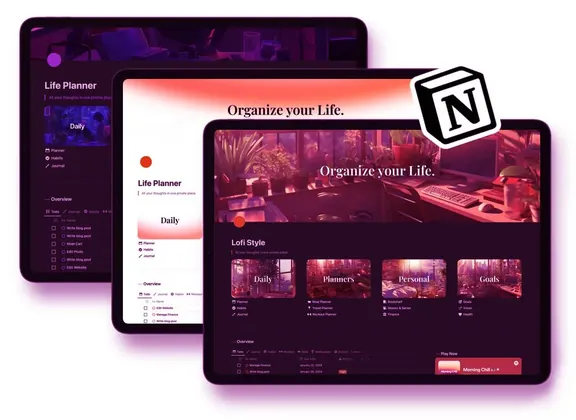
Spend the first ten minutes turning the vague thing into one physical action: open this file, write this paragraph, send this question to that person. Vague work is the main reason blocks fail. The Notion weekly planner template does this in one field: one deliverable per block.
How do you keep the system alive on a bad week?
Shrink it, do not skip it. A 45-minute block that happens beats a 90-minute block that moves to next month. Half a block still produces a sentence or a decision. Never let the count hit zero, because two weeks at zero and the calendar fills with other people's priorities.
Frequently asked questions
How many hours of deep work can you realistically do with a full-time job?
Two to three hours a day, which is 6 to 9 hours a week at six blocks. Four hours is a rare day, not a target. Anyone claiming six hours of deep work daily is counting meetings or not counting recovery.
Is 90 minutes better than two hours?
Usually yes, because 90 minutes fits a real calendar and two hours does not. If your schedule genuinely allows two uninterrupted hours, take them. The point is the uninterrupted part.
What if my boss expects instant replies?
Say what you are doing once, in plain language: "I block 7 to 8:30 for project work, then I am on Slack." Most managers accept a stated rule. The ones who do not are telling you something about the job.
Can I do deep work at night instead?
Yes, if you actually can. Night blocks fail differently: decision fatigue turns the block into scrolling with a document open. Test it for two weeks and count completed blocks, not intentions.
Does this work if I have kids?
It works better with a shorter block. Take 45 minutes before the house wakes up and treat it as the whole thing. Two 45-minute blocks beat one 90-minute block you keep rescheduling.
What counts as deep work when my job is mostly meetings?
Writing, planning, analyzing, deciding, and building. If the output can be produced while answering a message, it belongs in a batch window, not the block.
Key Takeaways
- Two 90-minute blocks a week is a working system. Six is a mature one.
- The meeting tax is real: five short meetings can leave you with one usable block, not four hours.
- Book the block before the week starts, name it after the deliverable, and set it to busy.
- Batch email and Slack into two windows. Every check costs about 20 minutes of real work.
- Shrink the block on a bad week instead of skipping it. Zero is the only number that ends the system.
If the calendar is the problem, start with remote work productivity tips and come back to the blocks later.